 Workato · 2025
Enterprise MCP servers
Building an MCP server used to be an engineering task. We turned it into something a business team could do on their own, while IT could still govern it.
The people who understand a business problem are rarely the people who can ship a secure MCP server. Every custom server needed engineering time, which limited how much teams could experiment and left a lot of useful automations unbuilt.
Existing MCP catalogs offered pre-built servers from common providers, but none of them let a team encode its own business logic. Workato already had the building blocks: recipes, connections and an identity layer. We saw a chance to let people assemble a server out of assets they already trusted.
Published server
becomes discoverable
These are the two paths we designed for.
Applying our strategy across milestones
Our PM and I broke the north star into milestones that were small enough to verify and big enough to matter. We kept requirements flexible across them so engineering could plan ahead. We knew we couldn't solve everything at once, but this let us keep making progress with the team we had.
Ship the smallest thing that proves an MCP server can come out of Workato
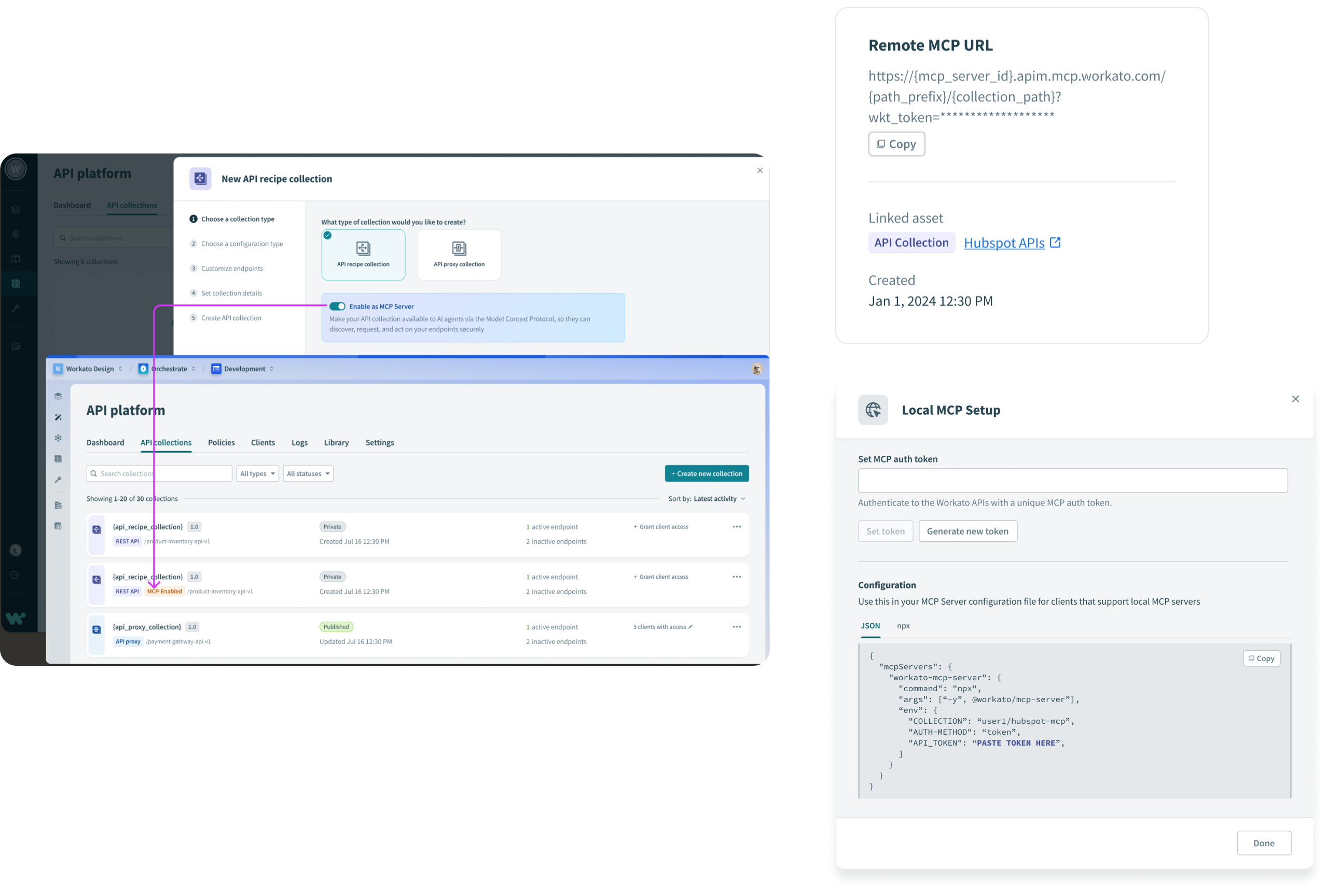
We built on the existing API platform. A toggle turned an API collection, which was already assembled from endpoint recipes, into an MCP server, and a panel showed the URL an end user needed to install it in Claude or another client. It didn't require a new object model or new infrastructure.
It also showed us what wasn't working. Only users provisioned for the API platform could reach it, so very few people discovered it. That told us MCP servers needed to move into the core platform instead of living as a setting inside one product.
Most catalogs offer both local and remote install. Following Anthropic's lead on where clients actually run, we shipped remote URLs only and cut the local instructions, which removed a branch from the install flow that we would otherwise have had to explain.
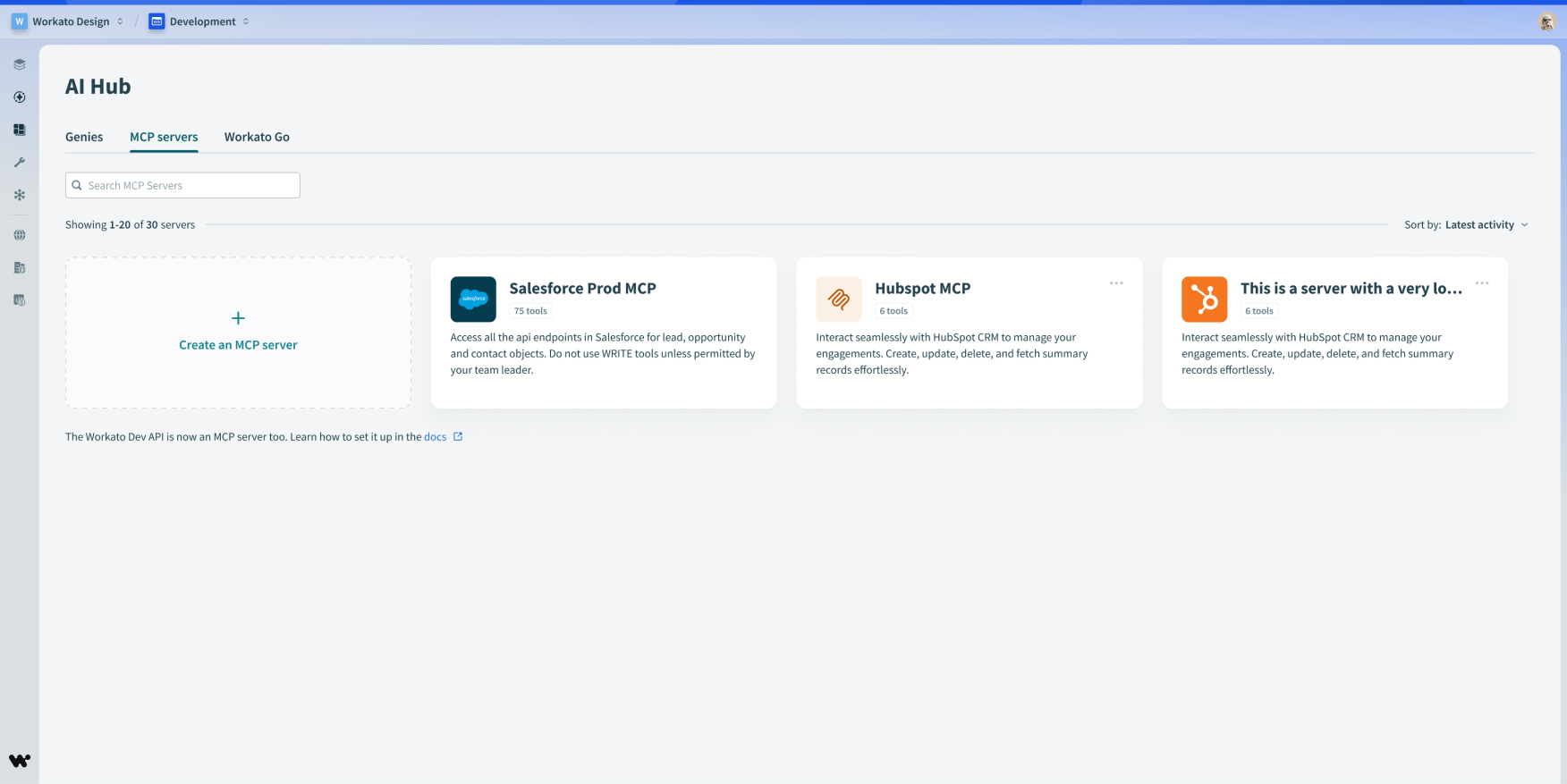
Give MCP servers a home, a landing page and a way in
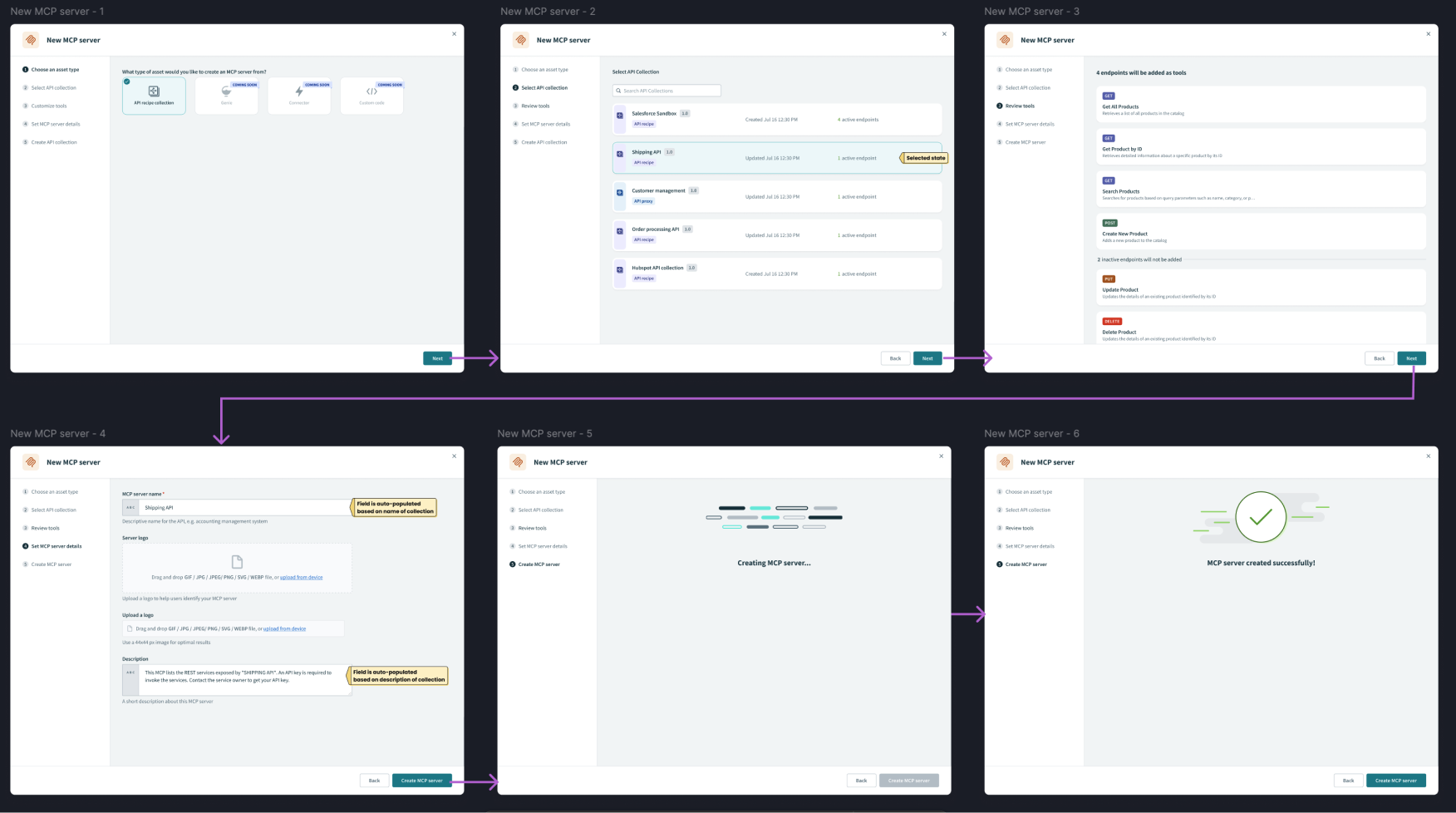
We pulled every AI capability into one top-level section and built the MCP landing state inside it. I put the creation flow together from the design system's existing wizard components, because it was the fastest way to get something in front of customers that they could use and react to.
MCP isn't a native Workato concept, so I borrowed from MCP server patterns customers had already seen elsewhere instead of inventing a Workato-specific mental model.
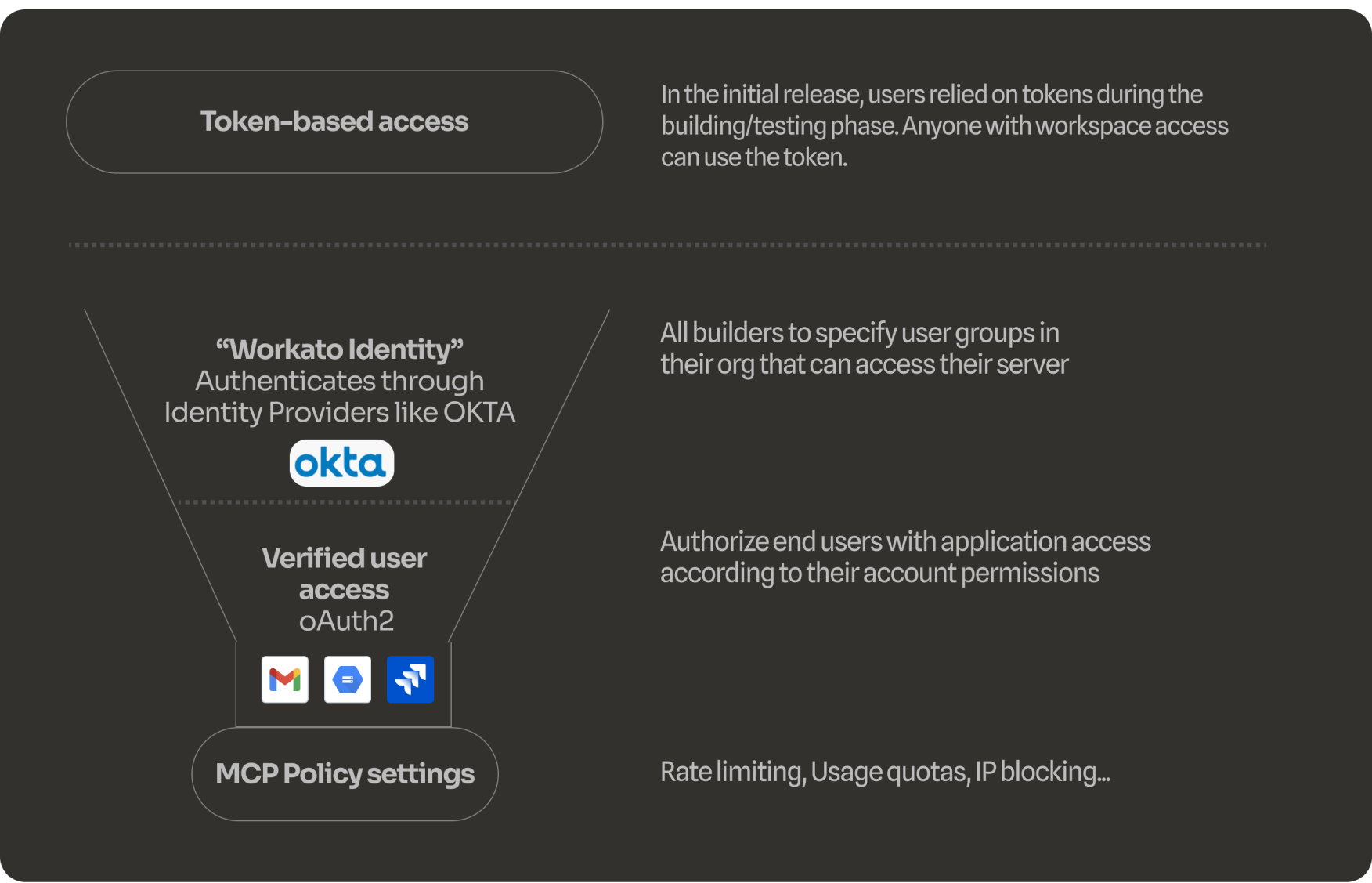
Two questions IT asks before approving anything: who can use it, and what can it reach
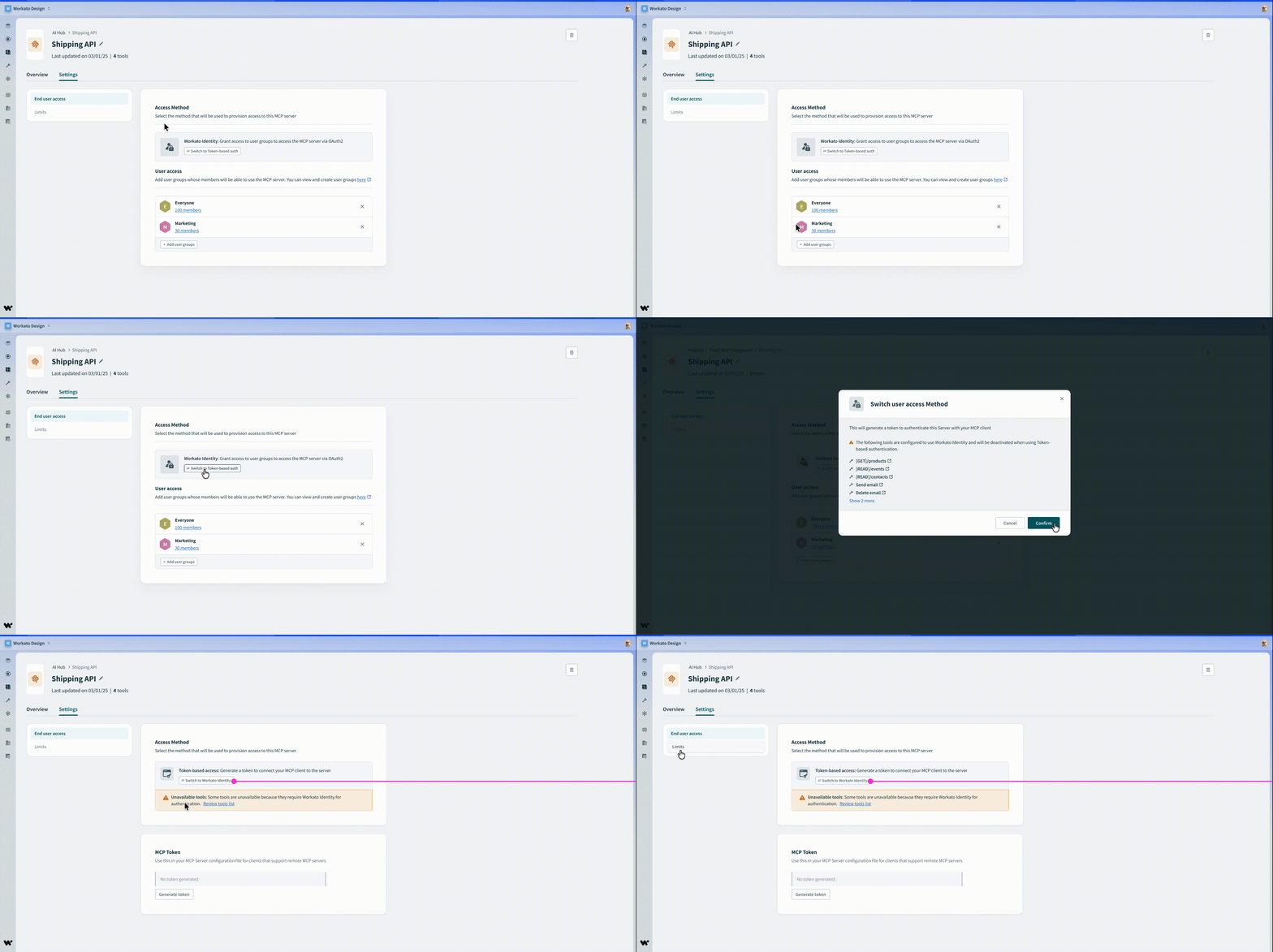
A Settings section let builders change a server's authentication method. I worked with the PM to prioritize real controls for both halves of the problem: which people get access, and which application permissions they carry once they have it.
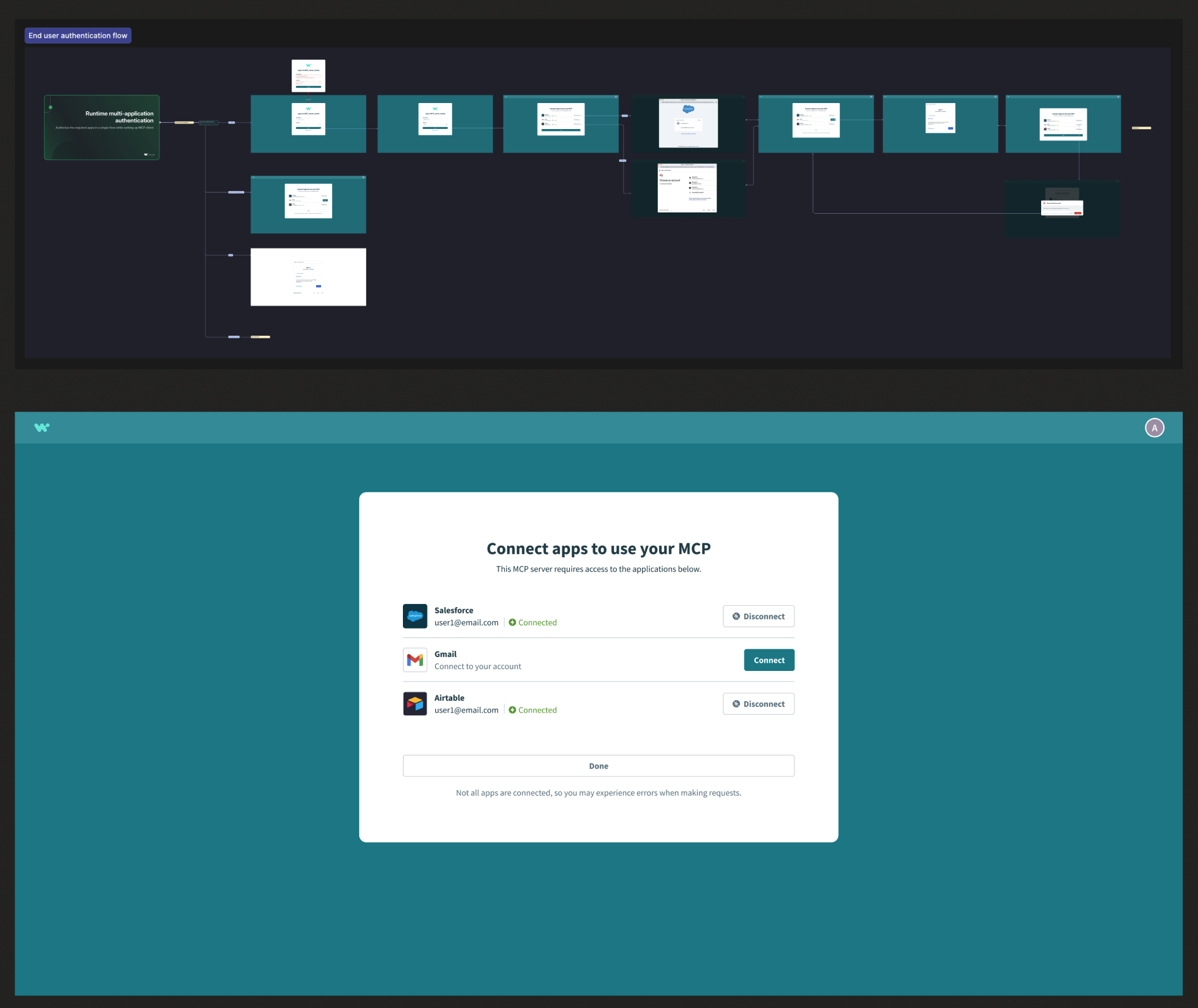
Verified user access came out of this milestone: the end user signs in to every app the server connects to. Getting it right meant spending time with product and engineering until I understood how those sign-in handoffs actually behave, including the failure states. The decision about defaults is covered in decision 03.
One page where you assemble a server out of things you already own
We removed the wizard and replaced it with a single-page workflow where you pick tools from the assets already in your Workato workspace. This was the milestone that let teams encode their own business logic, so an agent behaves predictably every time instead of relying on someone else's generic server.
We added a templates panel later for people who wanted to see how a server works before they had their own resources ready. The hardest part was getting the tone right: inviting enough that a non-technical builder would get started, but precise enough that they understood what they had just published.
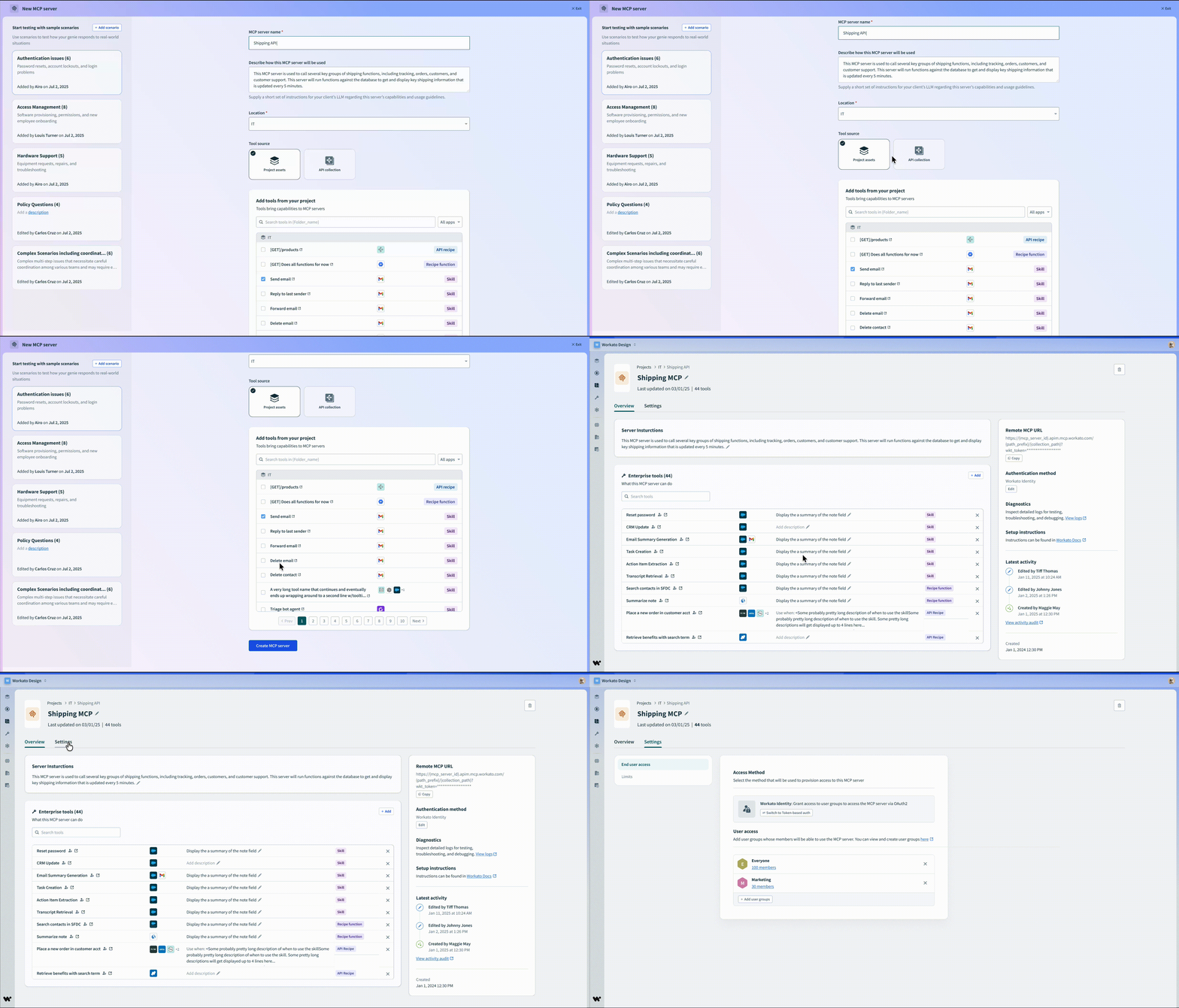
Interaction design for the composable flow.
Tool descriptions affected how well servers worked
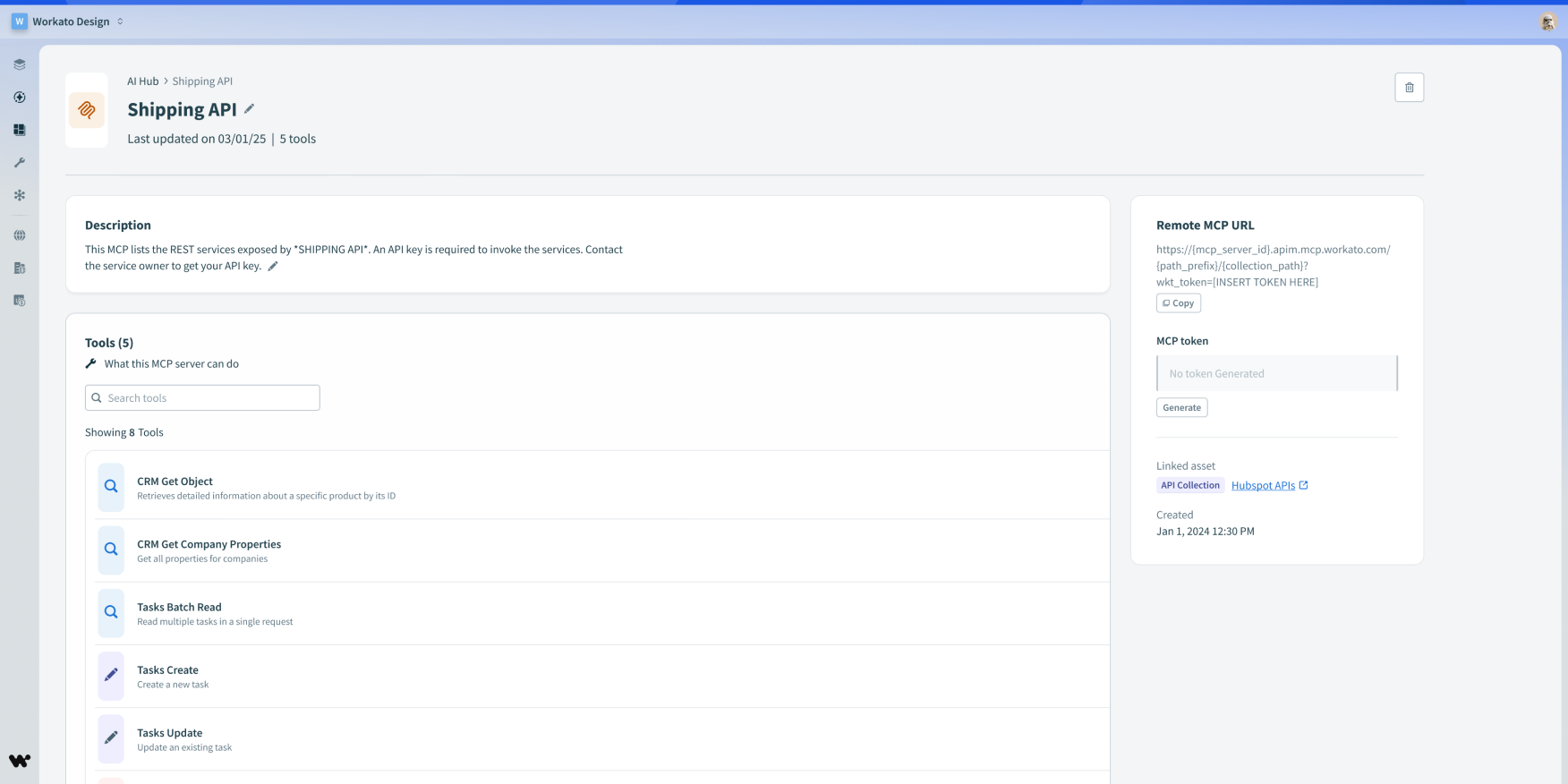
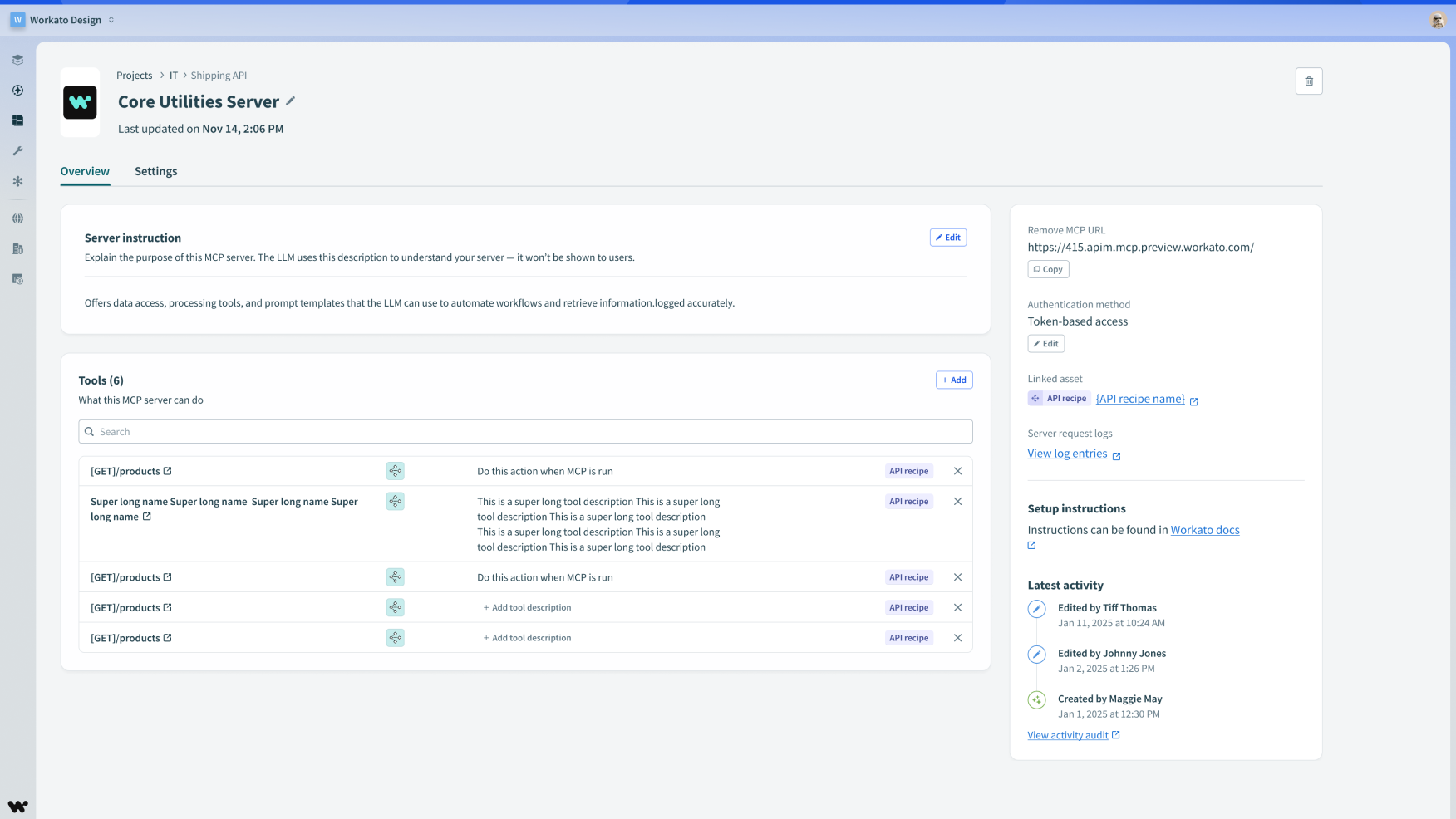
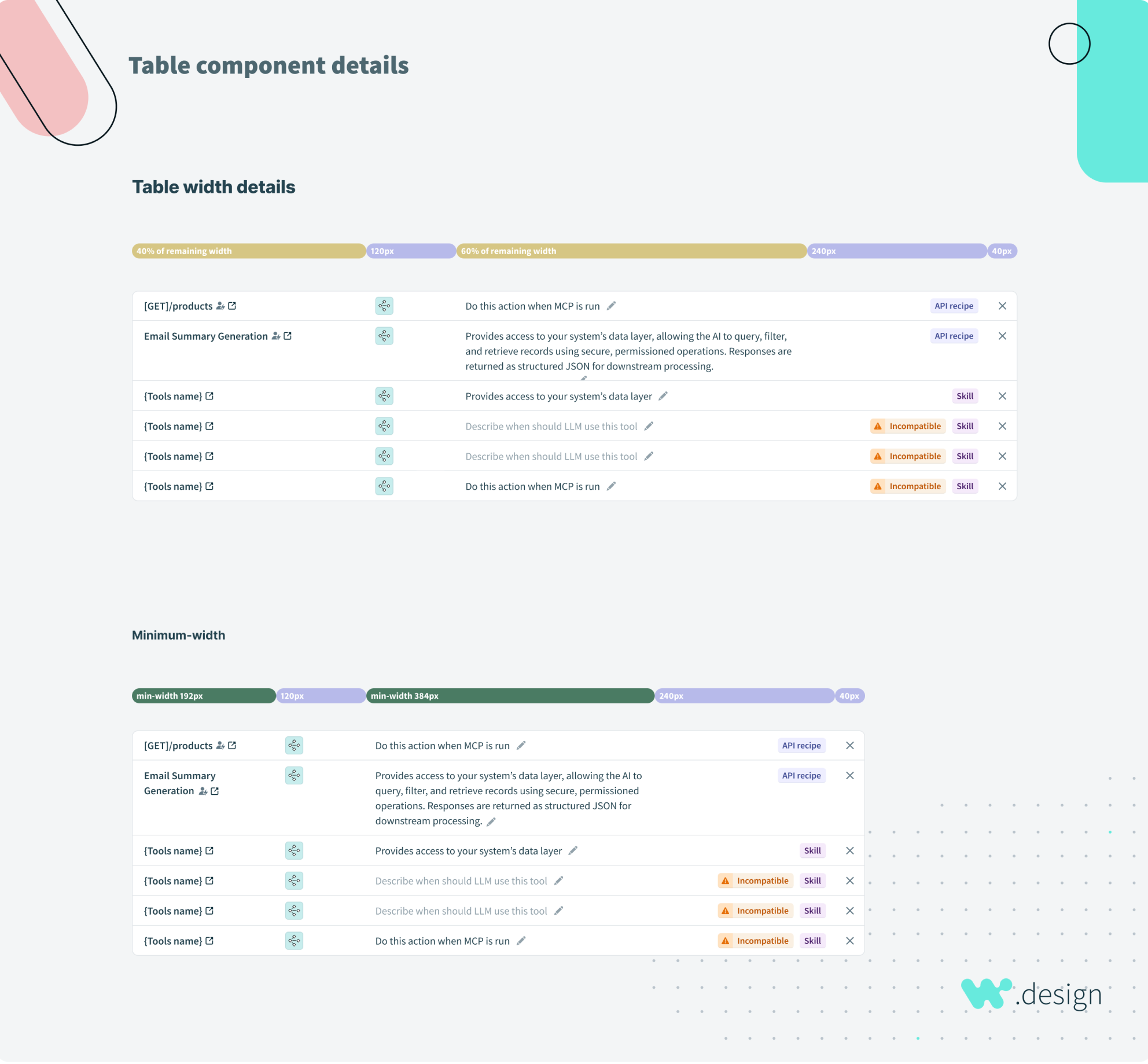
The model relies on a tool's description to decide whether to call it. That changed how we thought about what had been just a text field. We let long descriptions stay visible in the list view and invested in rich text editing so builders could structure them for accuracy.
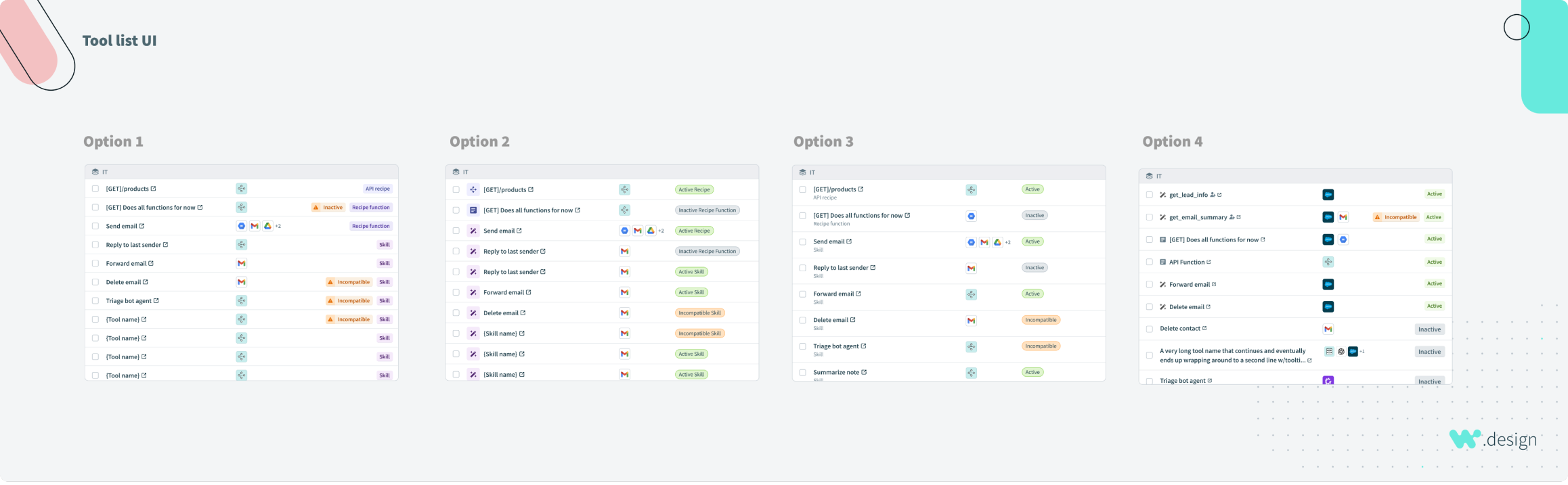
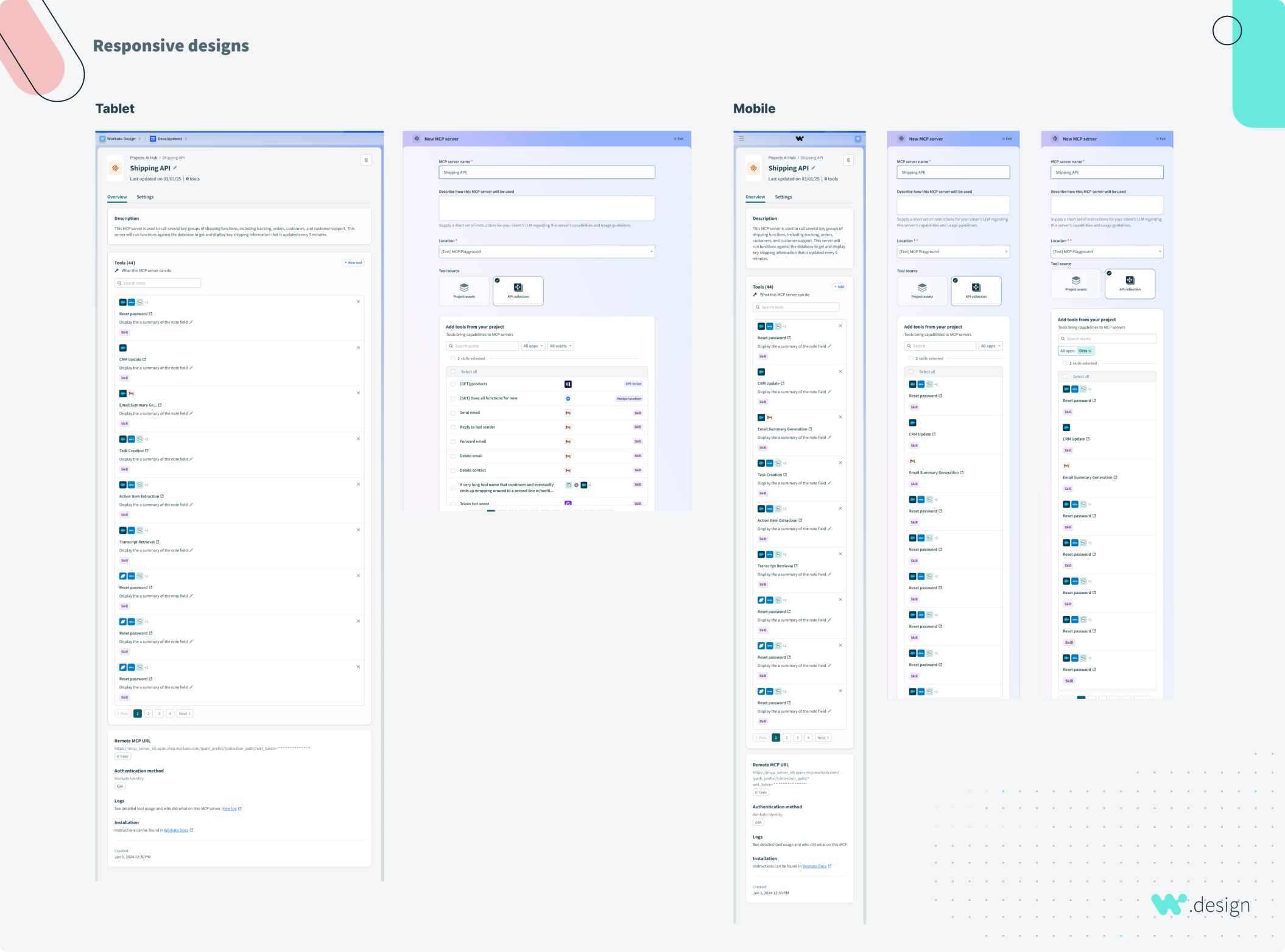
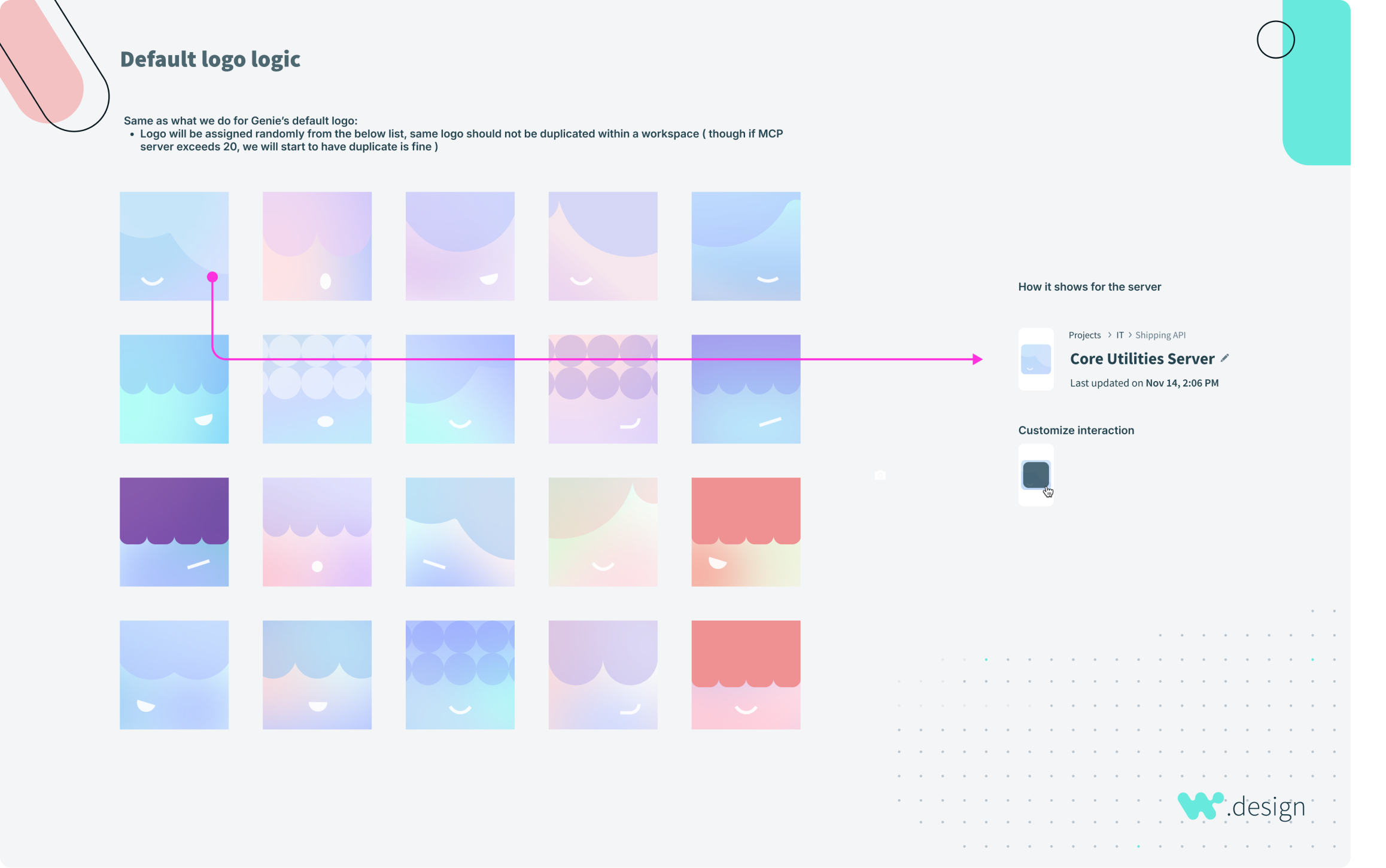
I rebuilt the detail page around that idea. It needed room for varied tool metadata, expanded instructions, and inline controls to add a tool or edit a description without leaving the page. I explored several table layouts for Skills, and worked with the Digital Design team on generated avatars so that every row didn't fall back to the same MCP icon.
Give builders a way to see what their servers are doing
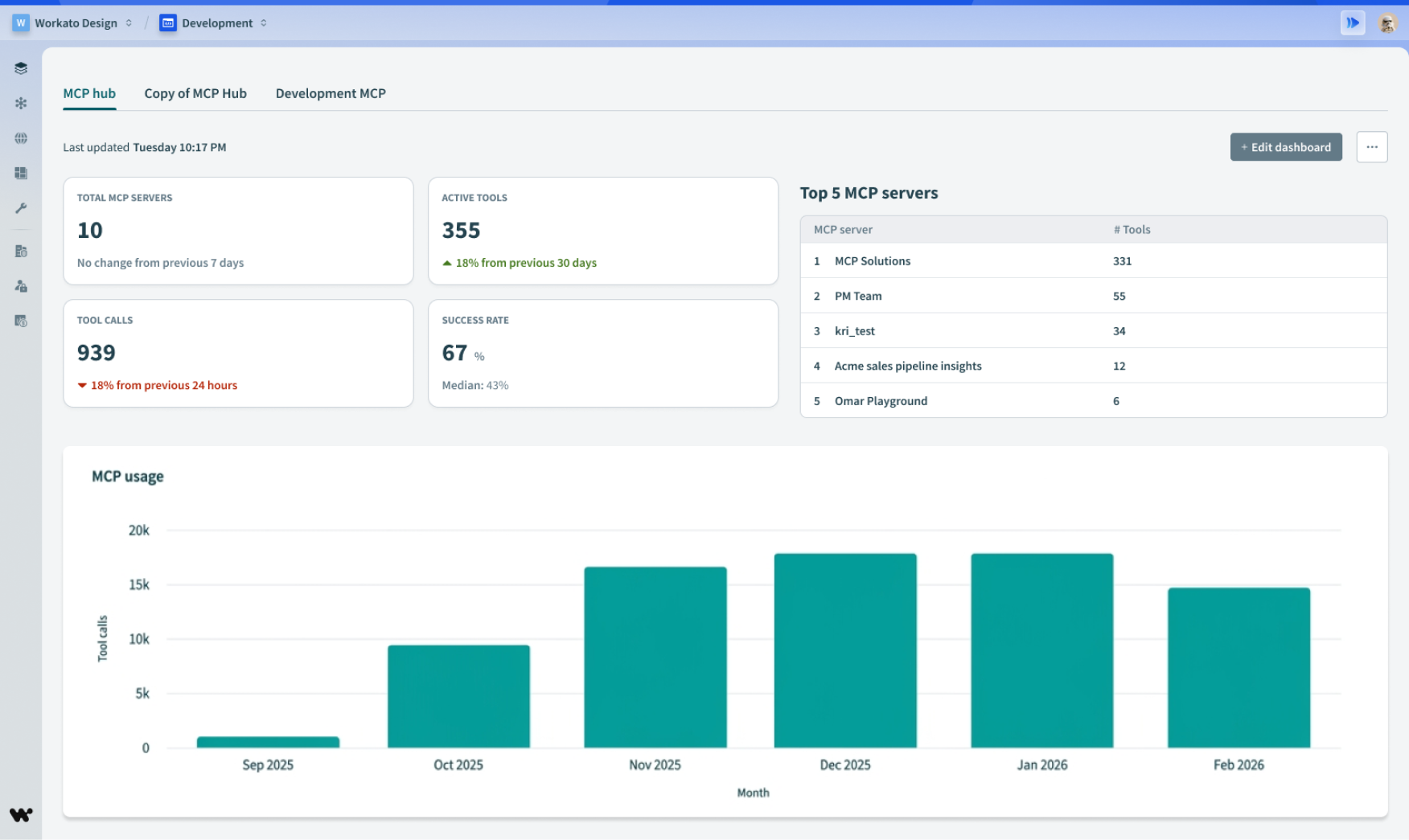
We shipped an analytics dashboard as a limited preview to selected accounts, and kept iterating on it as live feedback came in. It's also what made it possible to measure the launch at all, including the failure rate we weren't happy with.
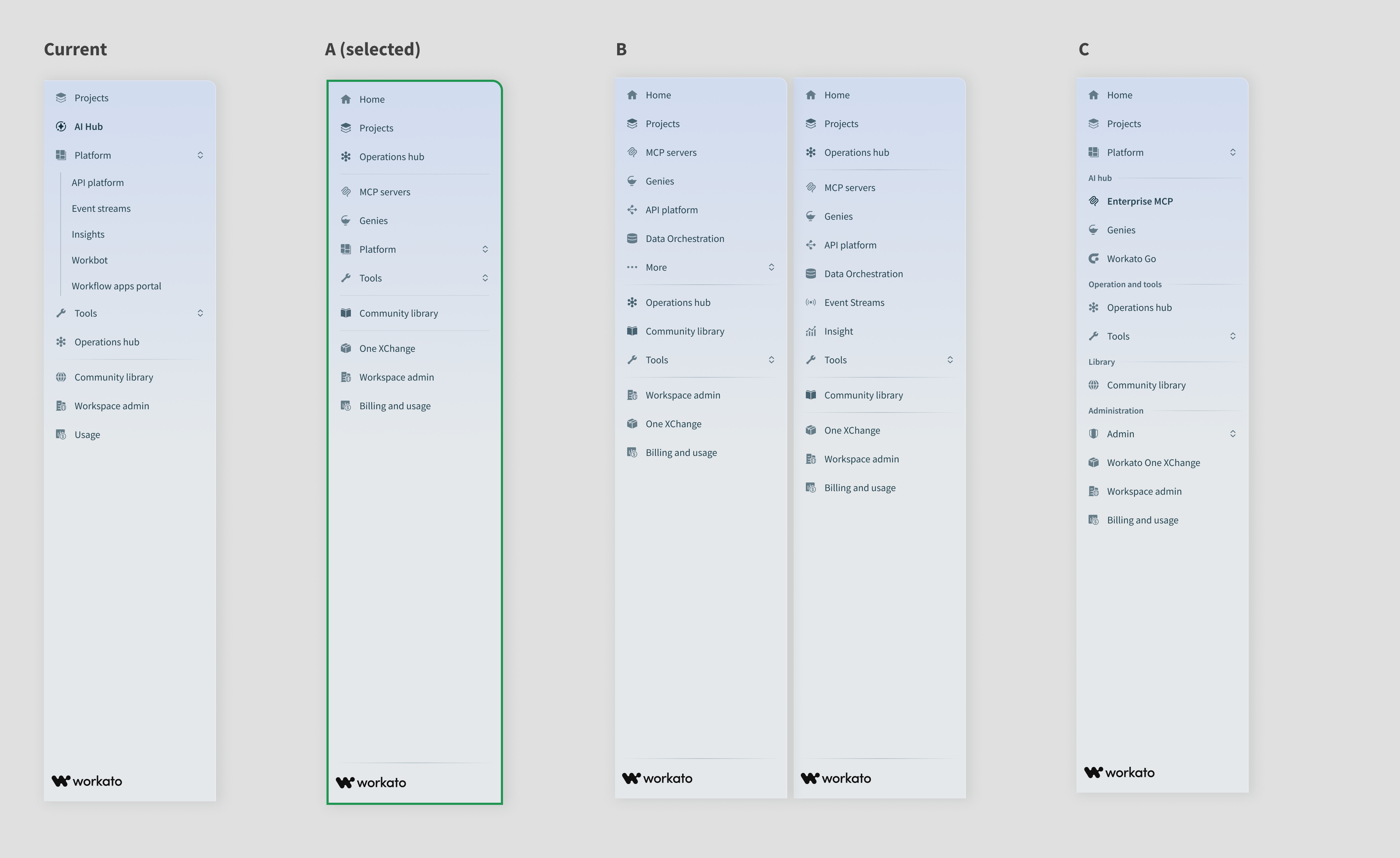
"AI Hub" tested as a name nobody wanted to click
MCP servers started out inside the API platform, where only users already provisioned for it could reach them, so very few people found them. To fix that, we pulled every AI capability into one top-level section and called it AI Hub.
Customers told us the label was ambiguous and that they hesitated to click it, so we reworked the navigation to name the capability directly.
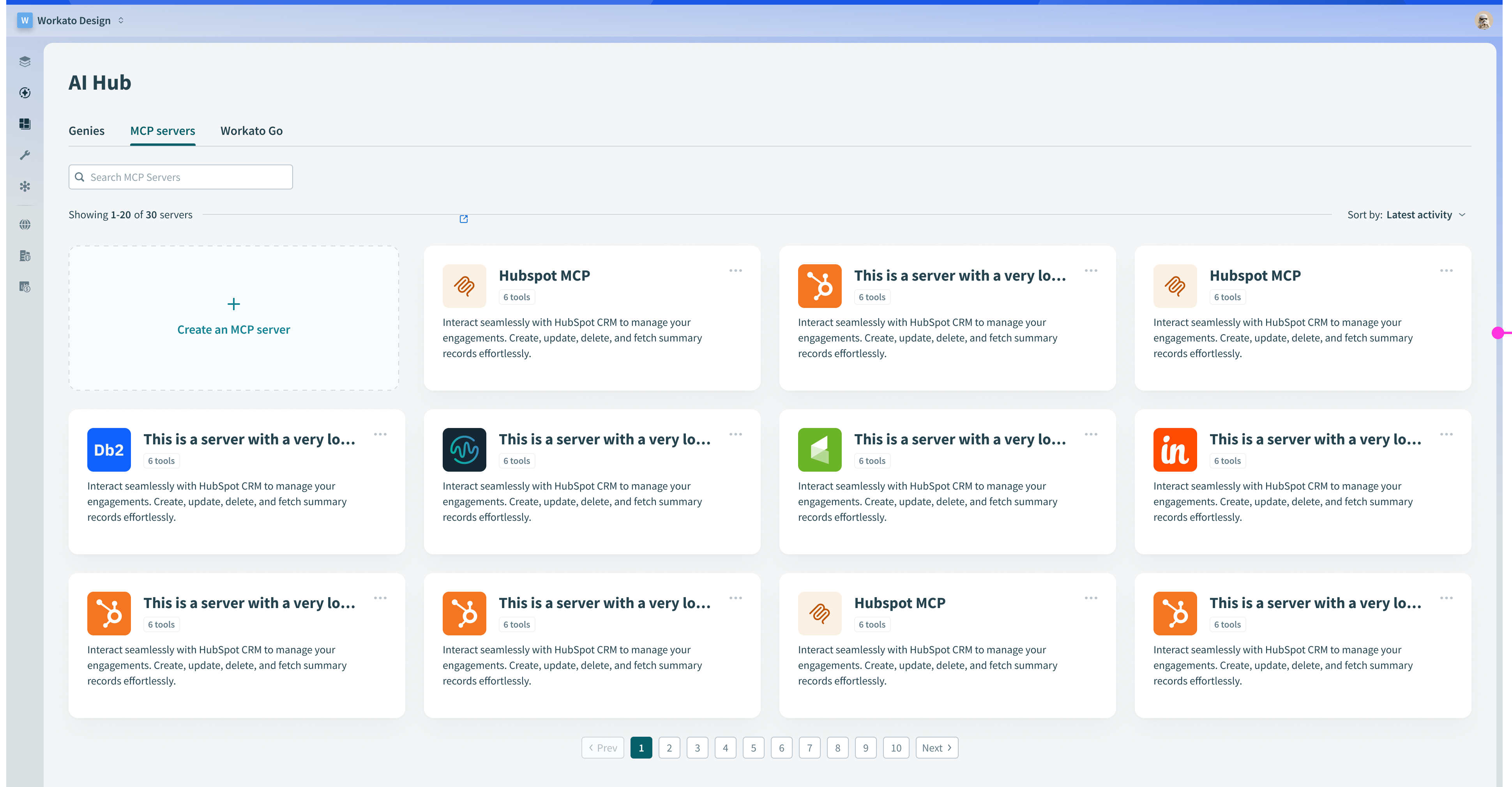
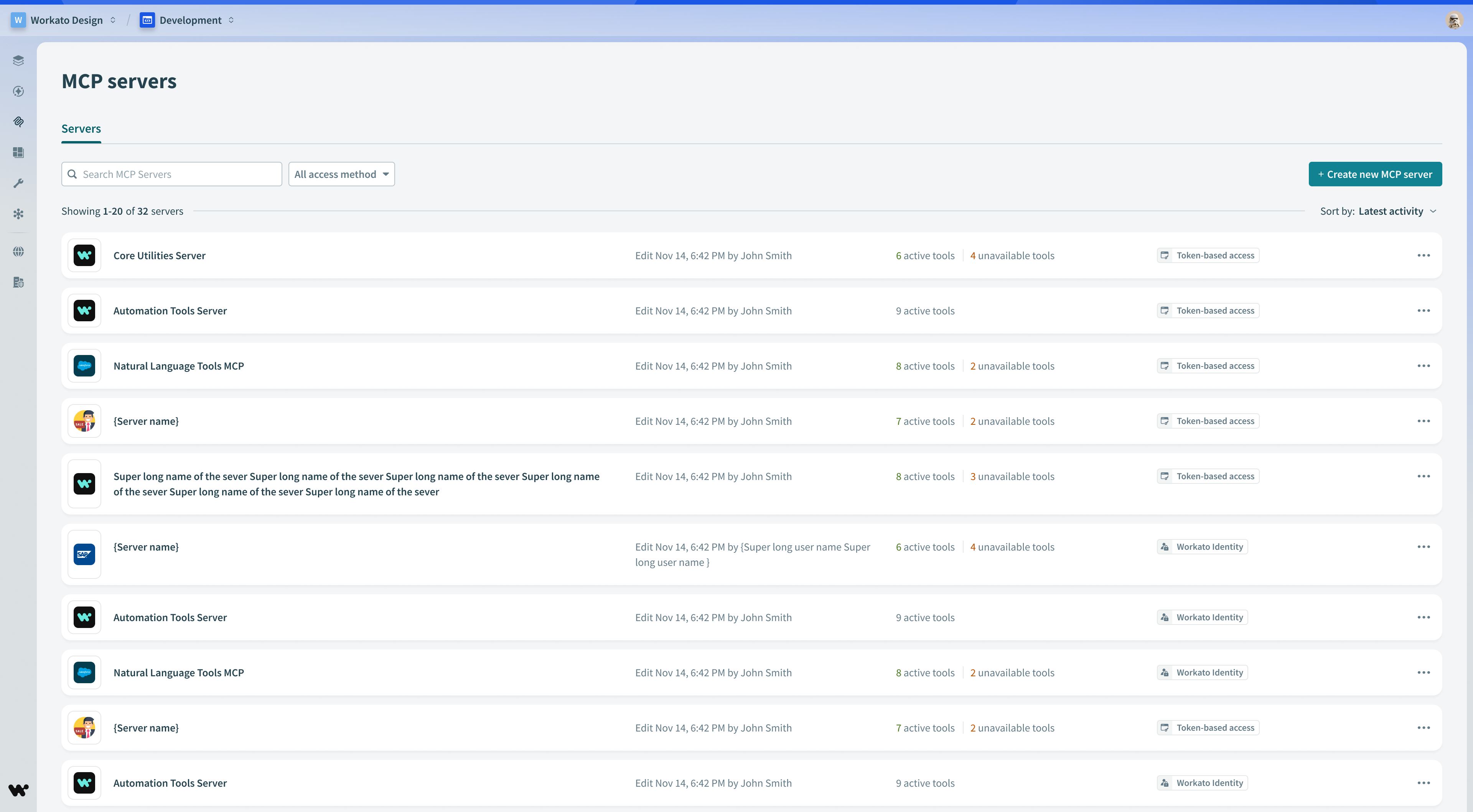
We shipped a card catalog, watched what people did with it, and replaced it with a list
Cards were the familiar format. Most MCP catalogs use them, and we explored a lot of variations before shipping. Once people started using it, we saw the real problem: people couldn't tell whether a server they needed already existed, so they created another one, and workspaces filled up with near-duplicates.
A catalog layout works well for a fixed set of items published by vendors. Our content was user-defined and heavy on metadata, which the grid couldn't support. It was hard to scan, barely sortable, and it pushed us toward a weak call to action, so we moved to a list.
Default new servers to identity-based access
Tokens are the easiest way to set up access to an MCP server, but they're also easy to lose control of. They get passed around, over-scoped, and don't expire when they should. We made every new server default to Workato Identity when the workspace had it enabled, so builders grant access by user group instead.
Verified user access followed. End users sign in to each application the server touches, so a server never has more permission than the person prompting it.
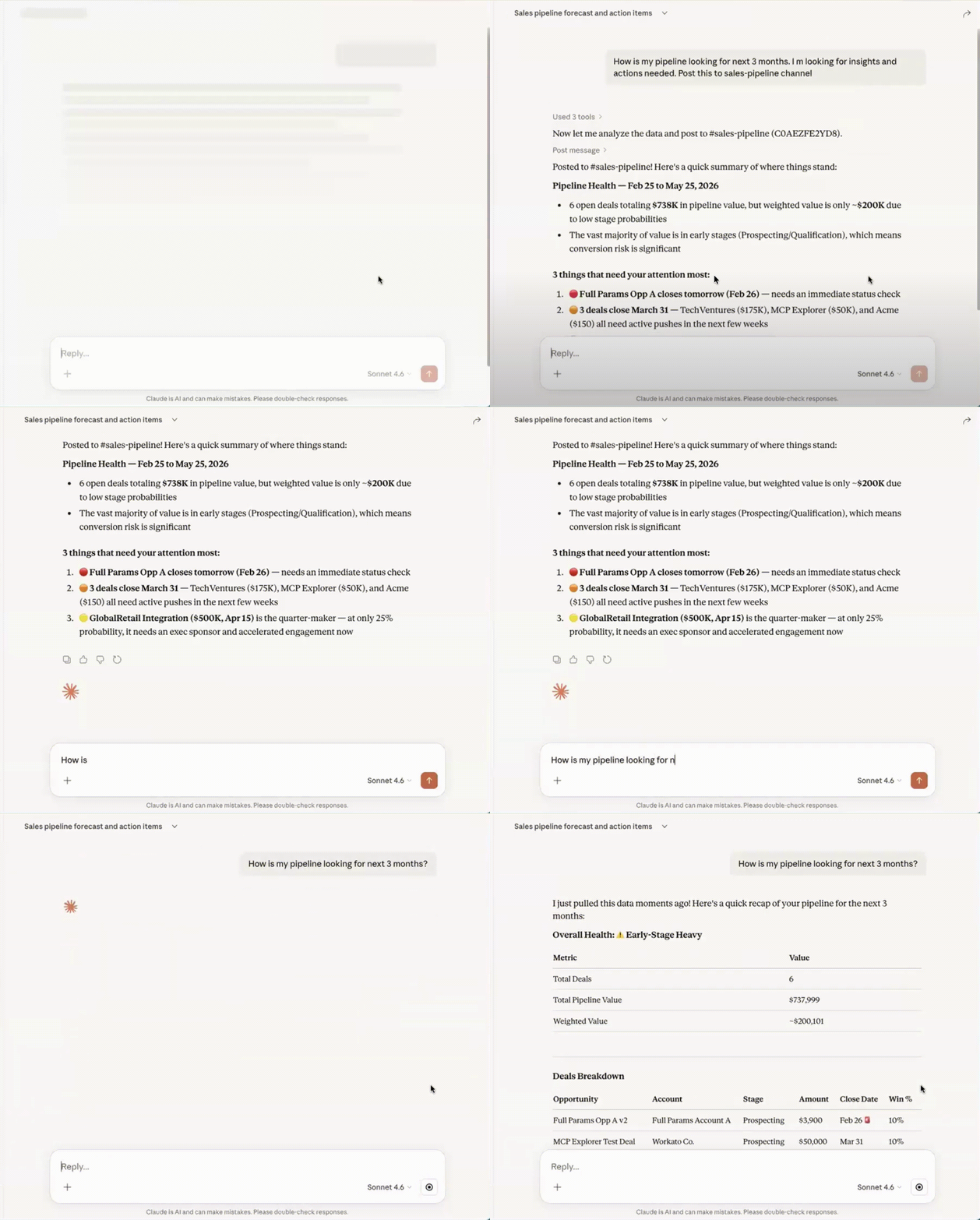
The number I cared about most was a 34% tool failure rate, and the feedback form told us why it was painful: people couldn't see what was going wrong.
We responded with traceability, audit logs and inline education, and prioritized them quickly because enterprise teams expected them as a baseline. Tool descriptions also turned out to matter more than we expected. The model needs them to pick the right tool, so we allowed long descriptions in the list and invested in rich text editing to help builders write them well.